Evidence-driven AKS optimization
Your cloud. Your optimizations. Your savings. We just help you find them.
RATIVERA studies how your Deployments actually use CPU and memory, explains each recommendation with the evidence behind it, and records your team’s decision. Your team applies any change through its own process.
- No RATIVERA agent in your AKS cluster
- Uses Azure Managed Prometheus
- Never directly changes your running workloads
- AgentlessReads the Azure facts and monitoring data you authorize.
- CPU and memory, separatelyEach has its own evidence and its own conclusion.
- Reliability before reductionNo reduction without enough usable history.
- Your decisionAccept, reject or defer. Nothing is changed automatically.
How it works
From discovery to a decision your team owns.
Four steps, shown in the real portal.
- 01
Connect Azure
An administrator in your Azure tenant grants scoped, read-only access. RATIVERA then discovers your AKS clusters and the Deployments running in them.
- reads
- AKS resource facts you authorize
- Azure Managed Prometheus metrics
- installs in your cluster
- nothing
- changes in your cluster
- nothing
- 02
Choose what RATIVERA assesses
Discovery lists what is running. You choose which workloads RATIVERA assesses; each selected workload uses one place in your plan, shared by every cluster in your organization. A discovered workload you have not selected uses no place.
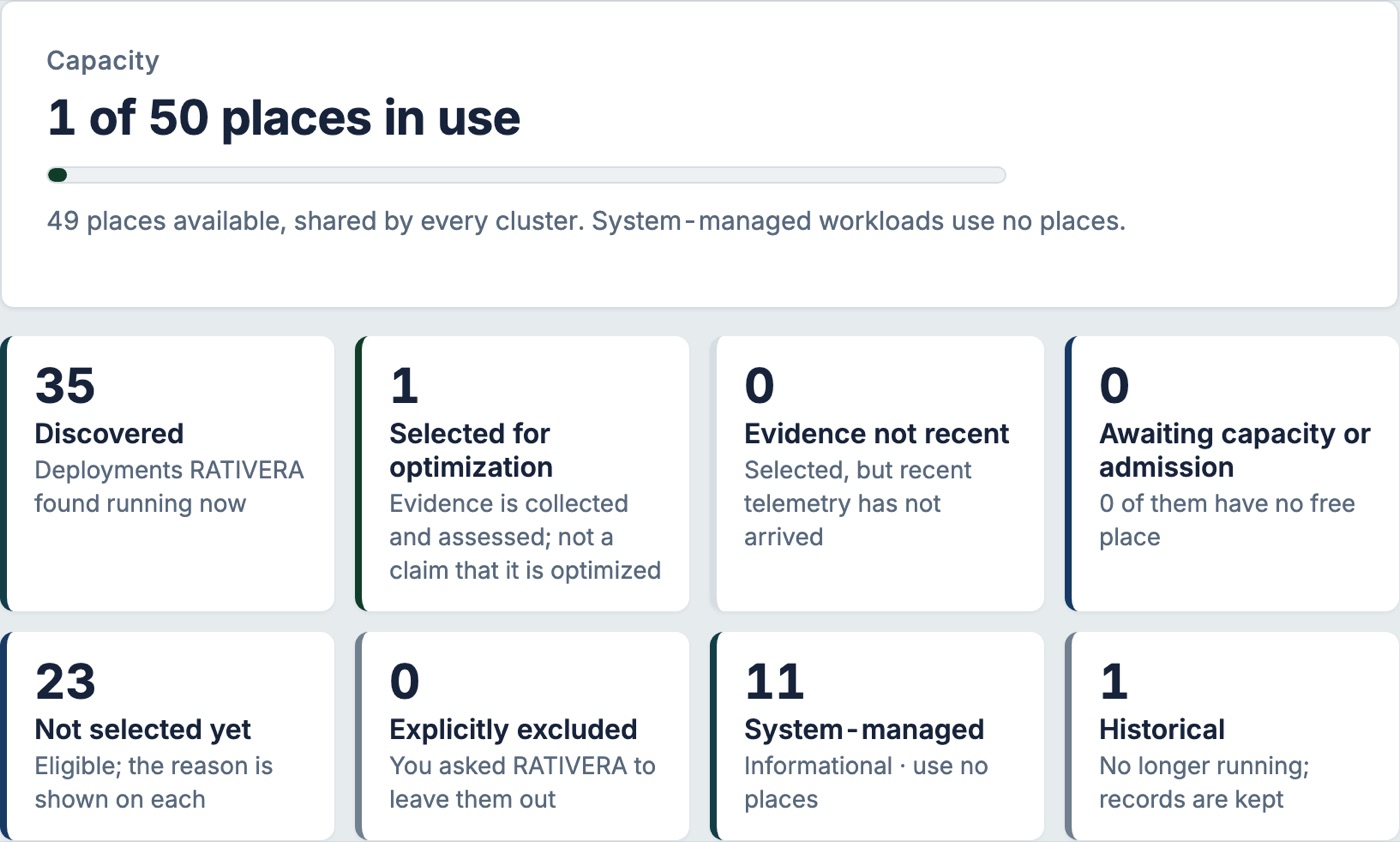
Optimization Coverage on RATIVERA’s own test cluster (November 4, 2026). - 03
Read the recommendation and the reasoning
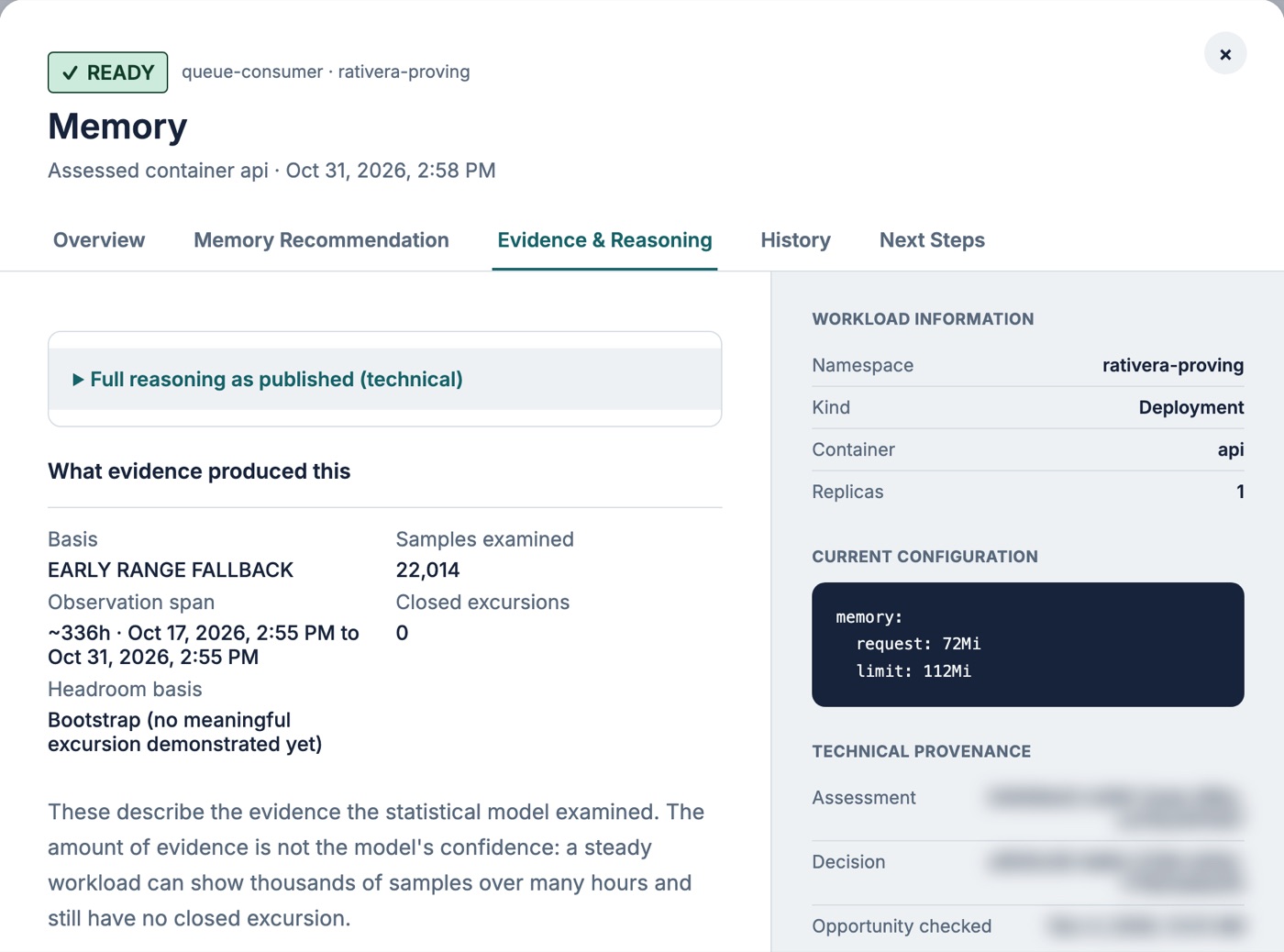
Each CPU and memory recommendation shows the evidence it used and how it was calculated. When the evidence is not enough, RATIVERA says what is missing instead of guessing.
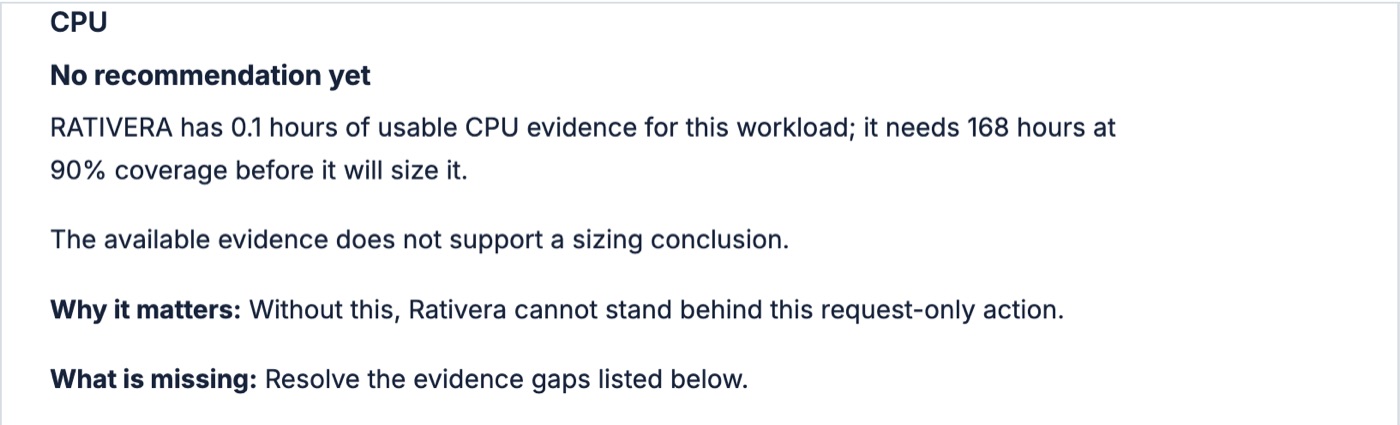
A withheld CPU conclusion on RATIVERA’s own test cluster (November 4, 2026). - 04
Decide. Your team applies the change.
Accept, reject or defer. RATIVERA records the decision and its history; accepting a recommendation does not change your cluster. Your team applies an accepted change through its own review and deployment process.
Proposing accepted changes as pull requests is in preview and not yet available to customers.
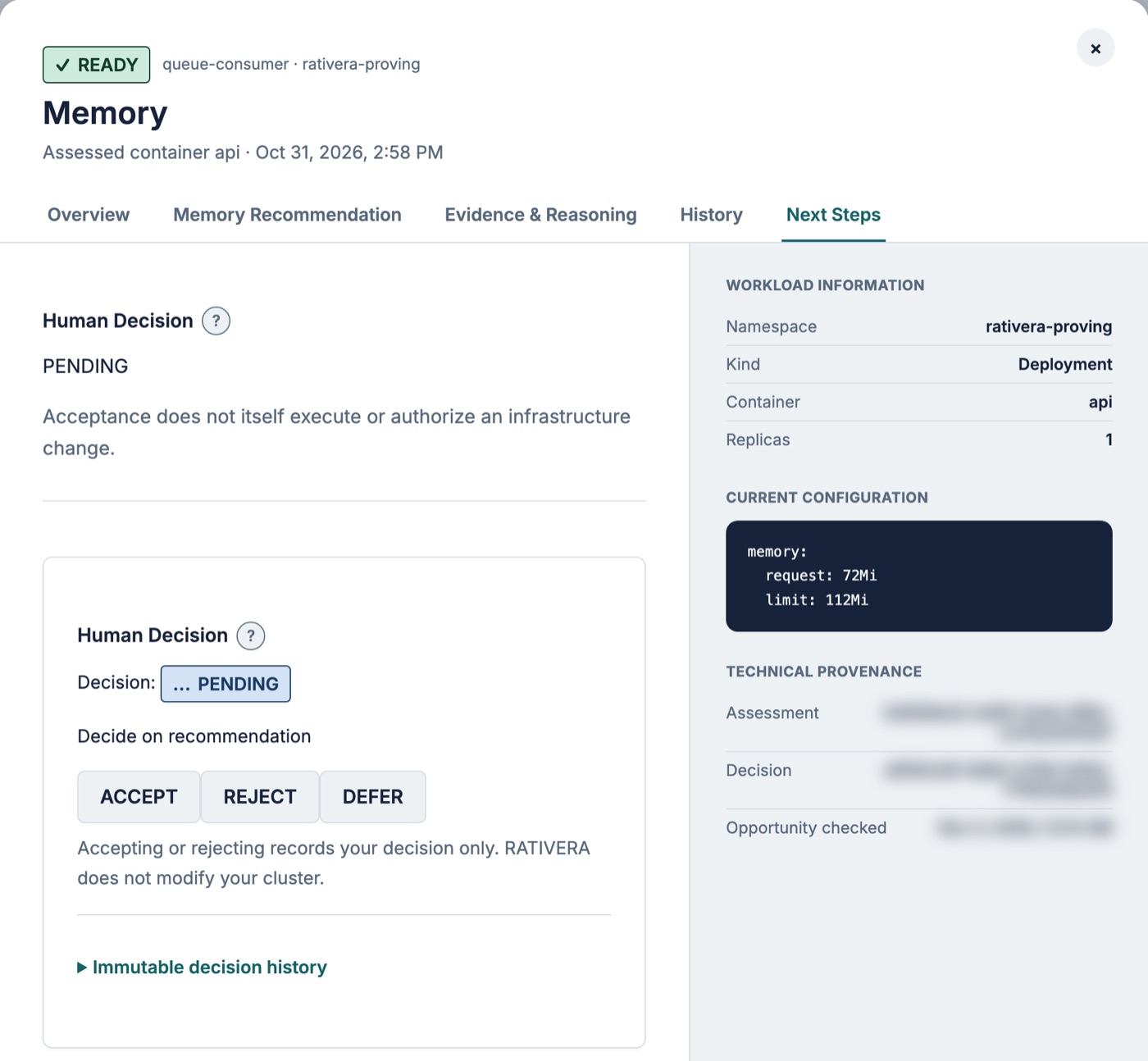
The decision panel on RATIVERA’s own test cluster (November 4, 2026).
Assessment and execution are separate
RATIVERA recommends. Your team ships.
Read-only access to observe. Your own review to change. RATIVERA never directly changes your running workloads.
Explore Security & Trustdeployment.yaml · your repository
resources:
requests:
- memory: 512Mi
+ memory: 384Mi
# reviewed and merged by your teamPricing
AKS optimization shouldn’t cost a fortune.
Get evidence-backed recommendations for one predictable monthly price. No percentage of savings. No success fees. Whatever you save on your cloud infrastructure stays yours.
$39 a month
Includes up to 30 workloads
+ $1.40 a month for each additional workload
- One plan. No tiers, no percentage of savings, no success fees.
- Start with 30 workloads for $39 a month, or choose up to 1,000 when you subscribe.
- For example, 50 workloads is $67 a month and 100 workloads is $137 a month.
- Billed monthly. Applicable taxes are extra.
Start with the 14-day Trial. Registration and the Trial are available worldwide. Paid Checkout is currently being rolled out to approved Canadian organizations.
RATIVERA never changes what you pay because it discovers more workloads. We don’t promise a specific saving: recommendations depend on the evidence for each workload.
Learn first
Understand the evidence before you change a request.
One Problem at a Time
Four short episodes on requests, evidence, coverage and decisions.
Knowledge BaseGuides and answers
Prerequisites, permissions, CPU and memory, and what a withheld recommendation means.
Security & TrustWhat RATIVERA can and cannot do
Access, data handling and the boundary between assessment and execution.
Start with the evidence.
Create your account, connect Azure, then start your Trial when you are ready.
Your 14-day Trial starts only when an administrator chooses Start Trial in the portal.